
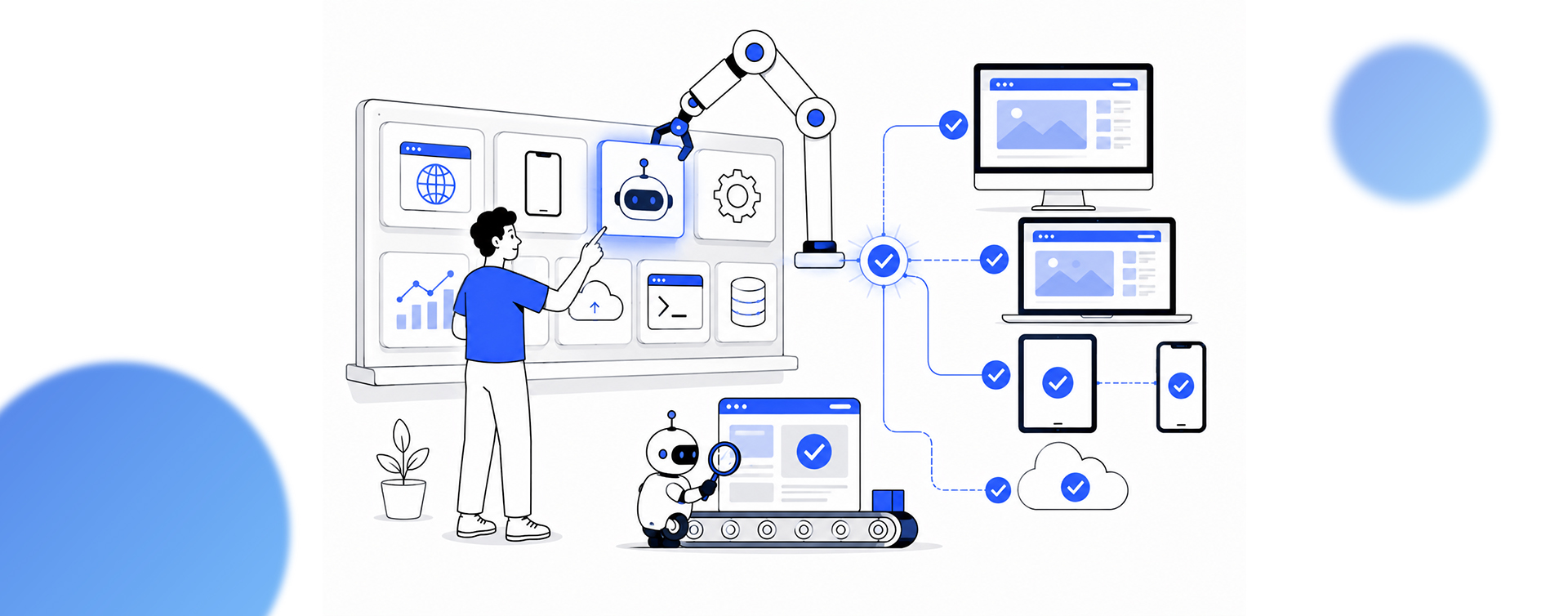
Ask a vendor for the best automation testing tools and you get a list of twenty. Ask teams what they actually run in production, and the list collapses to a handful: Playwright for new web work, Selenium where it is already entrenched, Cypress for JavaScript-first frontends, Appium for mobile, plus an API tool and, increasingly, an AI layer.
The interesting question in 2026 is not which tool tops a chart. It is which one can your team maintain?
That last word matters because the tool is the easy part. Across real programs, the tool is roughly 20% of the outcome; the test strategy, coverage model, CI/CD integration, and the people who maintain the suite are the other 80%.
AI has also moved from novelty to default in the workflow: by one industry account, the TestGuild State of Automation survey found that more than 72% of teams used AI somewhere in their testing in 2025, up from around 2% in 2018. The market reflects the demand, with one estimate from Custom Market Insights putting the automation testing sector near $25 billion in 2026.
So this is not a ranking. It is a practitioner’s read on what teams genuinely use, what each tool is good and bad at, and how to choose without inheriting a maintenance problem. This guide will explain the tools teams actually run in production, how to pick the right one for your stack, the open-source versus commercial trade-off, and the 80% of test automation that no tool solves for you.
What Are Automation Testing Tools, and Why the Choice Matters
Automation testing tools are frameworks and platforms that run tests against software automatically, instead of a person clicking through it by hand. They drive a browser, a mobile app, or an API, check that the result matches what is expected, and report failures, usually inside a CI/CD pipeline so every code change is tested before it ships. The payoff is catching defects earlier and faster than manual testing can, which is why automation is now standard rather than optional.
The market splits into three segments that serve different teams, and confusing them is a common, costly mistake:
- Open-source test automation framework options (Playwright, Selenium, Cypress, Appium) are for developer-led scripting.
- AI-native and codeless platforms (ACCELQ, Tricentis Tosca, Katalon, mabl) are for QA teams where non-developers need to build tests.
- For developers working with coding agents, Shiplight brings browser verification into the development workflow. It gives the agent a real browser to check UI changes and turn verified flows into maintained E2E tests stored in the project repository. Teams can run those tests locally or in CI, with self-healing to reduce maintenance when routine UI changes invalidate locators.
- Cloud execution infrastructure (BrowserStack, LambdaTest) provides broad browser and device coverage without rebuilding the suite.
The right choice starts with knowing which segment your team actually belongs in.
The Best Automation Testing Tools Teams Actually Use in Production
The Selenium vs Playwright vs Cypress debate dominates the open-source segment, so below is the honest shortlist, with what each tool is genuinely good and bad at. There is no single best tool for all situations, only the best fit for a given stack and team.
Playwright: The Default for New Web Projects
Playwright, from Microsoft, is the tool most teams now reach for when starting fresh web automation. It supports Chromium, Firefox, and WebKit natively, waits for elements automatically (which removes a major source of flaky tests), runs tests in parallel without a separate grid, and tests APIs in the same framework.
Its adoption has grown rapidly, with the official Playwright package recording over 58 million weekly npm downloads as of July 2026. It supports multiple languages including JavaScript, Python, Java, and C#. For most new projects, this is the starting recommendation.
It works with Chromium, Firefox, and WebKit natively, waits for elements automatically (which removes a major source of flaky tests), and encourages stable locator strategies that reduce failures caused by dynamic UI changes. Together, these features significantly lower the maintenance burden compared to older synchronization approaches.
Selenium: The Entrenched Enterprise Standard
Selenium has been the backbone of web automation since 2004 and remains the most widely adopted test automation framework, especially in enterprise Java shops. Its WebDriver protocol is a W3C standard, and it supports five languages: Java, Python, C#, JavaScript, and Ruby. Its weaknesses, relative to Playwright, are an older out-of-process architecture, separate driver management, and more flaky-test maintenance. The practical guidance is clear: it is rarely the best first choice for a brand-new suite in 2026, but if you have a large working Selenium suite, do not migrate for migration’s sake.
Cypress: Best for JavaScript-First Frontends
Cypress offers one of the best developer experiences for JavaScript-first frontend teams. Tests are easy to read, the interactive runner shows exactly what happened at each step, and debugging is intuitive. While it supports Chrome-family browsers, Firefox, and WebKit, teams with extensive cross-browser testing requirements should evaluate whether its coverage and workflows meet their needs. It also requires careful planning as test suites grow, particularly around parallel execution and infrastructure. For frontend teams building modern web applications with small-to-medium test suites, Cypress remains a compelling choice.
Appium, API, and Performance Tools
For mobile, Appium remains the standard for automating native and hybrid apps across iOS and Android. For API testing, Postman leads on usability with a very large user base, REST Assured is the common choice for Java teams, and Playwright can cover APIs natively. For performance and load testing, k6 and JMeter are the usual picks. Most production programs are not one tool but a small stack: a web framework, an API tool, a performance tool, and cloud infrastructure for browser coverage.
AI-Native and Codeless Platforms
A genuine shift in 2026 is the maturity of AI in testing. Tools such as mabl (agentic test execution), Testim (machine-learning locators that reduce flakiness), Applitools (visual AI), ACCELQ and Katalon (codeless authoring), and LambdaTest’s AI test creation let teams build and maintain tests with less brittle scripting, and let non-developers contribute. These platforms sit alongside the open-source frameworks rather than replacing them, and they earn their licence cost mainly where a team lacks the developer capacity to maintain code-based suites.
The table below summarises the honest fit for each main option.
| Tool | Best For | Main Trade-off |
|---|---|---|
| Playwright | Most new web projects, cross-browser | Newer ecosystem than Selenium |
| Selenium | Enterprise, multi-language, existing suites | Older architecture, more maintenance |
| Cypress | JavaScript-first frontend teams | Chromium-focused; strains on large suites |
| Appium | Mobile native and hybrid apps | Mobile setup and stability overhead |
| AI/codeless | QA teams without heavy coding | Licence cost; less low-level control |
How to Choose the Right Automation Testing Tool
The right choice falls out of five questions about your team and stack, not from a popularity ranking. Run each candidate through them.
- What is your stack and language? A polyglot enterprise leans toward Selenium or Playwright; a JavaScript frontend team leans toward Cypress or Playwright. The tool should match the languages your team already writes.
- Which browsers and platforms matter? Need Safari and Firefox? Playwright or Selenium. Chromium-only is fine for Cypress. Mobile means Appium. Broad device coverage means adding cloud infrastructure.
- Who writes the tests? Developers can own code-based frameworks. If non-developers must contribute, a codeless or AI-native platform is the honest answer rather than forcing them into scripting.
- How large will the suite get? Cypress is excellent up to a point; very large suites favour Playwright or Selenium with proper parallel execution and infrastructure.
- Who maintains it, and how? Maintenance is the hidden cost. Choose a tool your team can keep green as the application changes, because a flaky suite nobody trusts is worse than no suite.
Open Source vs Commercial Automation Testing Tools
Open-source frameworks (Playwright, Selenium, Cypress, Appium, Robot Framework, k6) are free to use, which is why they dominate developer-led testing. The cost there is not the licence; it is the engineering time to build and maintain the framework. Commercial and AI-native tools carry a licence fee, ranging from low monthly per-user tiers to several hundred dollars a month per team for AI platforms, up to custom enterprise pricing, and they earn it by reducing the in-house engineering burden.
As an illustrative guide rather than a fixed benchmark, many mid-market teams spend somewhere in the low hundreds to low thousands of dollars a month on their total automation stack, including a cloud grid and visual testing, even when the core framework is free. The honest way to compare is total cost of ownership: a free framework with heavy maintenance can cost more in engineering time than a paid tool that removes that work. Match the model to whether your constraint is budget or engineering capacity.
Choosing or rebuilding your test automation stack?
We have built and maintained automation programs across web, mobile, and API for 16 years. We will match the tool to your stack and team, design the coverage and CI/CD integration, and build a suite your team can actually keep green, rather than a demo that passes once.
The 80% Nobody Talks About: Strategy, CI/CD, and Maintenance
Choosing the tool is the part everyone debates and the part that matters least. The framework is roughly a fifth of a successful automation program. The rest is the work that no tool does for you.
- Test strategy and coverage. Deciding what to automate, at which layer (unit, API, UI), and what to leave manual is what determines whether automation actually catches the bugs that matter. A fast suite testing the wrong things is wasted effort. Most mature automation programs also follow the Test Pyramid, emphasizing unit and API tests over UI tests wherever practical. Unit and API tests execute faster, are less brittle, and provide earlier feedback, while UI automation focuses on validating critical user journeys rather than every application behavior.
- CI/CD integration. Tests deliver value when they run automatically on every change and block bad code from shipping. Automation that is not wired into the pipeline is a script nobody runs. In practice, this usually means integrating automated tests into pipelines such as GitHub Actions, GitLab CI, Jenkins, or Azure DevOps, so every pull request and deployment candidate is validated before release.
- Maintenance and flakiness. The hidden cost most teams underestimate is keeping the suite green as the application changes. By one 2026 industry account from ThinkSys, the large majority of QA teams now run two or more frameworks, which multiplies that maintenance load. Teams typically reduce flakiness through stable locators, reliable synchronization, isolated test data, and regular suite maintenance, rather than relying on retries alone.
- Observability into failures. When a test fails, the team needs to know why, fast. Visibility into failures is what keeps a suite trusted; without it, teams start ignoring red builds, and the whole effort unravels. Teams capture screenshots, videos, execution traces, logs, and network requests for every failed test, often using built-in capabilities of frameworks like Playwright and Cypress or reporting platforms such as Allure and ReportPortal to speed up root-cause analysis.
This is the same discipline we bring to quality across the delivery pipeline, including the traceability and oversight in our work on auditing AI agents, where the value comes from the system around the tools, rather than the tools alone.
Mistakes Teams Make Choosing Testing Tools
A few recurring errors waste more budget than any tool choice ever saves.
- Migrating a working suite for fashion. Rewriting a large, stable Selenium suite into Playwright because it is newer rarely pays back. Migrate when there is a concrete problem to solve, not because a tool is trending.
- Forcing non-developers to script. Asking manual testers to maintain code-based frameworks they cannot own produces brittle, abandoned suites. Match the tool to who writes the tests.
- Treating the tool as the strategy. Buying a tool without a coverage model, CI/CD integration, and a maintenance owner produces an expensive suite that decays. The tool is the start, not the plan.
- Ignoring maintenance until it hurts. Flaky tests that nobody fixes train the team to ignore failures. Budget for maintenance from day one, or the suite loses trust and value.
How Ariel Approaches Test Automation
From our delivery experience building automation programs, the tool is the smallest decision we make and the maintenance plan is the largest. The programs that last are the ones designed around the team that will own them. The principles we apply are consistent across stacks.
- Match the tool to the team and stack. Playwright, Selenium, Cypress, Appium, or a codeless platform: the choice follows the languages, browsers, and who writes the tests, not a ranking.
- Design coverage before scripting. We decide what to automate and at which layer first, so the suite catches the defects that matter rather than padding a pass rate.
- Wire it into CI/CD from the start. Tests run on every change and block bad code, because automation outside the pipeline delivers little value.
- Plan for maintenance and observability. We build for a suite the team can keep green, with clear visibility into why tests fail, so red builds stay trusted.
Across our experience, a useful rule of thumb is that the tool represents around 20% of the equation, while strategy, integration, and ongoing maintenance make up the other 80%. Teams that invest in those areas build automation that lasts, while those focused only on selecting the highest-ranked tool often struggle to keep their test suites running.
Frequently Asked Questions
1. What are the best automation testing tools in 2026?
In production, most teams converge on a small set: Playwright for new web automation, Selenium where it is already entrenched, Cypress for JavaScript-first frontends, and Appium for mobile, plus an API tool such as Postman or REST Assured and a performance tool such as k6. AI-native and codeless platforms like mabl, Testim, ACCELQ, and Katalon are increasingly used where non-developers contribute. There is no single best tool, only the best fit for a given stack and team.
2. Should I use Playwright, Selenium, or Cypress?
The Selenium vs Playwright vs Cypress choice comes down to fit. For most new web projects in 2026, start with Playwright: it has native cross-browser support, auto-waiting that reduces flaky tests, and built-in API testing. Choose Selenium for multi-language enterprise teams or when you already have a large working suite. Choose Cypress for JavaScript-first frontend teams that value developer experience and target Chromium-based browsers. The decision should follow your stack, browser needs, and who maintains the tests.
3. Are open source automation testing tools good enough for production?
Yes. Open-source frameworks like Playwright, Selenium, Cypress, and Appium run in production at companies of every size, and the WebDriver protocol behind Selenium is a W3C standard. They are free to license; the real cost is the engineering time to build and maintain the framework. Commercial and AI-native tools are worth paying for mainly when a team lacks the developer capacity to maintain code-based suites, not because open source is weaker.
4. Is AI replacing traditional automation testing tools?
Not replacing, augmenting. AI in testing has gone mainstream, with one industry survey reporting that more than 72% of teams used AI somewhere in their testing in 2025. AI tools help with smarter locators that reduce flakiness, visual validation, and codeless authoring for non-developers. They sit alongside frameworks like Playwright and Selenium rather than above them, and they earn their cost mostly by reducing maintenance, not by removing the need for a test strategy.
5. How do I choose an automation testing tool for my team?
Answer five questions: what stack and languages your team writes, which browsers and platforms you must support, who writes the tests (developers or non-developers), how large the suite will grow, and who will maintain it. Those answers point to a tool more reliably than any ranking. The best automation testing tool is the one your team can keep running reliably as the application changes, because maintenance is the cost most teams underestimate.
6. Should we migrate from Selenium to Playwright?
Only if there is a concrete problem to solve. Playwright is the stronger choice for new web suites, but migrating a large, stable Selenium suite is expensive and rarely pays back when the existing suite works. Migrate when flakiness, maintenance cost, or missing capability is actively hurting you, not because Playwright is newer. For existing Selenium investments that run reliably, the better move is usually to keep them and start new work in Playwright.
7. Can Ariel help us build or fix our test automation?
Yes. We design and build automation programs across web, mobile, and API: matching the tool to your stack and team, defining the coverage model, integrating tests into CI/CD, and building for maintainability so the suite stays trusted. The review covers your current stack, coverage gaps, and maintenance burden before any commitment. Get in touch for a delivery-grade conversation about your QA automation.
Pick the Tool You Can Maintain, Then Do the Other 80%
The best automation testing tools in 2026 are the ones teams can actually keep running: Playwright for most new web work, Selenium where it is entrenched, Cypress for JavaScript frontends, Appium for mobile, with an API and performance tool alongside and AI increasingly woven in. The ranking matters far less than the fit, because the tool is only about a fifth of what makes automation succeed.
Choose by stack, browser needs, who writes the tests, suite size, and maintenance capacity. Then invest in the part that actually decides the outcome: a coverage strategy, CI/CD integration, and a maintenance plan that keeps the suite green and trusted. Automation pays back for years instead of decaying into a suite nobody believes.
Ready to build test automation that lasts?
Book a free consultation with Ariel’s QA automation team. We will match the right tools to your stack, design the coverage and CI/CD integration, and build a suite your team can keep green long after launch.