
Customer service teams are drowning in repetitive tickets. Password resets. Order status. Refund requests. Subscription changes.
Most of these requests don’t require human intervention, provided the underlying AI system is engineered with the right data, integrations, and governance.
This transformation is already underway. While results vary by ticket type, enterprise integrations, and workflow maturity, some vendor-reported ecommerce deployments have demonstrated autonomous resolution rates over 70% for structured support workflows. Looking ahead, Gartner predicts that agentic AI will autonomously resolve 80% of common customer queries by 2029 while reducing operational costs by 30%.
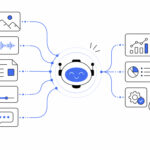
The key difference is that today’s AI customer support agents do far more than answer frequently asked questions. Powered by large language models (LLMs), retrieval-augmented generation (RAG), and workflow automation, they can understand customer intent, retrieve relevant business information, perform actions across connected systems, and resolve issues from start to finish without waiting for a human agent.
So, let’s understand how businesses can deploy agents for customer support workflow automation and improve operational productivity.
What is an AI Customer Support Agent?
An AI customer support agent is an autonomous software system that uses Natural Language Processing (NLP) and Generative AI to independently understand, troubleshoot, and resolve customer issues.
Unlike traditional chatbots that follow basic scripts, this is an advanced AI application where the agents connect to the backend systems to perform real-world tasks, like processing refunds, tracking orders, and managing returns. This falls under the broader category of agentic AI – systems designed to plan, decide, and take action toward a goal, rather than simply generate a response.
How Does an AI Customer Support Agent Work?
The reason why AI agents are becoming a part of customer support workflow automation is that they can combine conversation with action. So, imagine a customer opens the support chat on an ecommerce website and types that they want to change the shipping address for the order.
Instead of simply replying with instructions, an AI customer support agent can complete the request on its own by following a sequence of actions:
- Understands the customer’s intent and identifies that the request is about modifying an existing order.
- Verifies the customer’s identity using authentication or account information.
- Retrieves order details from the company’s CRM or order management system.
- Checks business rules, such as whether the order has already been shipped or is still eligible for address modification.
- Updates the shipping address by securely interacting with the backend order management system through APIs.
- Confirms the change to the customer, updates the support ticket, and records the interaction for future reference.
The agent only escalates the matter to a human agent if the request falls outside predefined policies, requires approval, or the AI has low confidence in its decision.
What Actually Makes 70% Resolution Possible? It’s the Architecture, Not Just the AI Model
Achieving a 70% autonomous ticket resolution rate isn’t simply a matter of deploying the latest large language model (LLM). In practice, the difference between an AI assistant that resolves only basic FAQs and one that independently closes customer tickets lies in the underlying system architecture.
Getting this right takes disciplined AI product development, treating the support agent as a production system rather than a pretrained model with a chat window on top. The highest-performing AI customer support agents share four key architectural capabilities.
1. Intelligent Intent Classification
Not every support request should be handled autonomously. Before taking any action, the AI evaluates the customer’s intent, complexity, and potential business risk to determine whether the ticket is suitable for automation.
Routine, low-risk requests, such as order tracking, password resets, or subscription updates, can be resolved automatically, while sensitive or high-impact issues are routed to a human agent or hybrid workflow. This ensures automation is applied where it delivers the greatest value without compromising customer experience.
2. Retrieval Grounded in Live Business Data
Even the most advanced LLM cannot provide accurate answers if it relies on outdated documentation or static FAQs.
Production-grade AI agents use Retrieval-Augmented Generation (RAG) to retrieve real-time information from knowledge bases, CRM records, order management systems, policy documents, and other enterprise data sources. By grounding every response in current business data, the AI generates contextually relevant and reliable answers instead of relying solely on its pretrained knowledge.
3. Deep Integration with Backend Systems
Understanding a request is only half the job. To truly resolve a ticket, an AI customer support agent must also be able to take action.
Through secure API integrations, the agent can interact with CRMs, ERPs, payment gateways, subscription platforms, and order management systems to execute business workflows, such as processing refunds, updating customer information, modifying shipping addresses, or cancelling subscriptions. This ability to perform real-world tasks is what separates autonomous AI agents from conventional chatbots that merely provide instructions.
4. Confidence-Based Decision Making
A reliable AI agent knows when not to act.
Before responding or executing a workflow, the system evaluates its confidence in the customer’s intent, the retrieved information, and the proposed action. If confidence falls below a predefined threshold, or if the request violates business rules, the AI automatically escalates the conversation to a human agent, preserving the full interaction history and relevant context. This safeguards accuracy while maintaining a seamless customer experience.
Why Around 70% Is a Practical Benchmark for Many Organizations
A 70% autonomous resolution rate is neither an arbitrary benchmark nor an overly optimistic target. For many organizations, it reflects the reality of how customer support workloads are distributed and how enterprises balance automation with governance.
Support tickets are rarely evenly distributed across simple and complex issues. Instead, they generally fall into three broad categories, each with a different level of automation potential.
- Structured, high-volume requests, such as password resets, order tracking, refund status inquiries, subscription changes, and account updates, follow well-defined business rules and standardized workflows. Because these requests can be validated and executed through backend integrations, they are highly suitable for end-to-end automation and often account for the majority of successful AI resolutions.
- Semi-structured requests, such as account recovery, partial refunds, or multi-step troubleshooting, introduce additional complexity. These scenarios may require contextual reasoning, policy validation, or data from multiple enterprise systems. Many can still be automated, but success depends on robust workflow orchestration, access to live business data, and confidence-based decision-making. As a result, automation rates in this category vary depending on how well the AI system is engineered.
- Judgment-intensive or regulated requests, such as customer complaints, billing disputes, fraud investigations, compliance-related inquiries, or policy exceptions, typically require human judgment, discretion, or regulatory oversight. While AI can assist with these interactions by gathering information or recommending next steps, many organizations deliberately route them to human agents because of the business, legal, or customer experience risks involved.
Autonomous resolution rates are shaped as much by business governance and risk tolerance as by AI capability.
In many customer support environments, structured requests represent a substantial share of incoming tickets, while a portion of semi-structured requests can also be automated with the right architecture. The remaining judgment-intensive cases are intentionally escalated to human agents. Together, this distribution commonly results in autonomous resolution rates of around 70%.
Attempting to automate significantly beyond this point may require extending AI into scenarios where human oversight is still valuable. While doing so can increase reported automation metrics, it may also lead to lower resolution quality, more repeat contacts, or reduced customer satisfaction if governance and escalation mechanisms are not carefully designed.
For this reason, a higher reported resolution rate should not automatically be interpreted as a better outcome. When vendors report autonomous resolution rates exceeding 90%, it is worth understanding how they define a “resolved” ticket. In some cases, these figures may reflect ticket deflection or containment rather than true end-to-end resolution. In others, they may come from environments with a higher proportion of repetitive, rules-based requests that are naturally easier to automate.
Ultimately, the goal is not to maximize automation for its own sake, but to automate the requests that can be resolved safely, accurately, and consistently while ensuring complex or high-risk cases receive appropriate human oversight. This is precisely why confidence-based escalation is a core component of production-ready AI customer support agents: it enables the system to resolve routine issues autonomously while recognizing when human expertise is the better course of action.
What Does Resolution Rate Actually Mean in Autonomous Customer Support?
If you’re planning an LLM customer service integration, one of the first questions you’ll ask vendors is, “What resolution rate can your AI achieve?” The challenge is that the answer often depends on how a particular vendor defines resolution.
Across the industry, three distinct metrics are frequently grouped under a single “resolution rate,” even though they measure very different outcomes.
- Deflection: The conversation ends without being escalated to a human agent. The AI may provide a knowledge base article, FAQ, or general guidance, but this metric does not confirm whether the customer’s issue was actually resolved.
- Containment: The customer never reaches a human representative. While many platforms treat this as a successful outcome, containment only indicates that the interaction remained within the AI system, and not that the problem was solved.
- True Resolution: The customer’s issue is fully resolved from start to finish without requiring follow-up or repeat contact. This is the most meaningful metric because it reflects the AI’s ability to complete the entire support workflow rather than simply respond to the customer.
One of the clearest indicators of true resolution is the repeat contact rate, such as how often customers return within 48 to 72 hours because their original issue was not fully resolved.
For businesses evaluating AI customer support solutions, this distinction is critical. Rather than asking, “What is your resolution rate?”, a more valuable question is:
“How do you define a resolved ticket, and how does your AI handle requests that fall outside its confidence threshold or standard workflow?”
Which Customer Support Tickets Can AI Resolve Effectively?
Autonomous AI is designed to resolve high-volume, low-risk, and rules-based tickets, while routing complex requests to human agents. Here’s a table that explains what AI can handle and which tasks need to be routed to human experts:
| High Automation Potential | Complex Cases Requiring Human Oversight |
|---|---|
| Password resets | Customer complaints |
| Order tracking and shipping updates | Billing disputes |
| Subscription changes | Fraud or account ownership disputes |
| Account information updates | Regulatory or compliance-related requests |
| Refund status inquiries | Complex technical troubleshooting |
| Standard policy questions | Exception handling and policy overrides |
The objective isn’t to automate every support request, but to automate the ones that can be resolved safely and consistently. Everything else should be routed through a well-defined escalation framework, ensuring customers receive the right level of support without compromising accuracy or trust.
Escalation Logic: The Important Part that Determines Whether Customers Trust the System
Out of all the support queries a company receives each month, many are repetitive and well-suited for automation. However, hundreds or even thousands of tickets may involve complex scenarios that require human judgment, regulatory oversight, or exception handling, making them unsuitable for fully autonomous resolution.
Escalation logic is typically implemented as a decision layer within the agent orchestration pipeline. Rather than relying on a single confidence score from the LLM, production-grade AI agents evaluate multiple signals before deciding whether to execute a workflow autonomously or transfer the request to a human representative.
A typical escalation framework combines the following elements:
- Intent Classification
Every incoming request is first processed by an intent classifier that categorizes the ticket into predefined intents (for example, password reset, refund request, account recovery, or technical troubleshooting). Each intent is assigned an automation eligibility score based on business complexity and operational risk.
- Confidence Scoring
The orchestration engine evaluates the model’s confidence in intent recognition, entity extraction, retrieved context, and the proposed action. If the confidence score falls below a predefined threshold, the workflow automatically transitions to a Human-in-the-Loop (HITL) path instead of generating an uncertain response.
- Policy Engine and Guardrails
Business policies act as deterministic guardrails on top of the LLM. Rules such as refund limits, identity verification requirements, compliance constraints, approval hierarchies, and role-based permissions determine whether the agent is authorized to execute an action or whether human approval is mandatory.
- Action Validation
Before invoking external APIs, the workflow validates prerequisites such as customer authentication, required entities, API availability, and business rule compliance. Failed validations, timeout exceptions, or unsuccessful API responses trigger fallback workflows instead of allowing the agent to proceed.
- Context-Aware Escalation
When escalation is required, the orchestration layer transfers the complete execution state, including conversation history, extracted entities, retrieved knowledge, API responses, reasoning trace (where appropriate), and workflow status, to the human support platform. This preserves conversational continuity and eliminates the need for customers to repeat information.
How does Ariel, a Leading AI Development Company, Engineers Production-Ready AI Customer Support Agents?
Building an AI customer support agent that consistently achieves high autonomous resolution rates requires far more than integrating a large language model. At Ariel Software, the focus of our AI software development services is on engineering end-to-end AI systems that combine enterprise integrations, intelligent workflows, and governance to operate reliably in production.
A typical production-ready implementation includes:
- Live Data Integration: Connect the AI agent to CRMs, ERPs, order management systems, payment gateways, and knowledge repositories so every response and business action is grounded in real-time enterprise data rather than static documentation.
- Retrieval-Augmented Generation (RAG): Ground every response in verified company knowledge, support documentation, and business policies to improve factual accuracy and minimize hallucinations.
- Workflow & API Orchestration: Integrate the AI agent with backend applications to execute business workflows, such as processing refunds, updating customer records, managing subscriptions, or tracking orders, instead of simply explaining how customers can complete those tasks.
- Intelligent Escalation Framework: Design confidence thresholds, policy guardrails, Human-in-the-Loop (HITL) workflows, and context-aware handoffs so the agent can recognize when a request requires human intervention.
- Monitoring & Observability: Continuously monitor operational metrics, including true resolution rate, workflow execution, API health, confidence scores, and escalation trends, to optimize performance and validate business outcomes.
- Security, Compliance & Auditability: Implement role-based access controls, audit trails, and governance policies to support enterprise security requirements and regulatory compliance.
- Cloud-Native Scalability: Deploy resilient, cloud-native architectures capable of supporting enterprise-scale ticket volumes while maintaining performance, availability, and operational reliability.
Rather than relying on a single AI model, this engineering approach combines live enterprise data, workflow orchestration, governance, and continuous monitoring to build AI customer support agents that can operate reliably in real-world production environments.
The Bottom Line
The future of customer support isn’t about replacing human agents; it’s about redefining what humans spend their time on.
As AI customer support agents become capable of handling routine, rules-based requests from start to finish, support teams can shift their attention to complex troubleshooting, customer retention, relationship building, and other interactions where judgment and empathy remain irreplaceable.
Organizations that treat AI as an autonomous workflow layer rather than a conversational interface will be better positioned to improve customer experience, reduce operational costs, and scale support without scaling headcount. The question is no longer whether AI belongs in customer support, but how intelligently it is engineered into the workflow.
Let AI Resolve the Repetitive. Let Your Team Solve the Complex.
Free your support team from repetitive, rules-based requests. Ariel Software builds AI customer support agents that automate routine workflows, integrate with your business systems, and intelligently escalate complex cases.
Frequently Asked Questions
1. What is the difference between an AI chatbot and an AI customer support agent?
Traditional chatbots primarily answer predefined questions using rules or scripted flows. AI customer support agents go a step further by understanding intent, retrieving business data, interacting with backend systems through APIs, executing workflows, and resolving customer requests with minimal human intervention.
2. How long does it take to implement an AI customer support agent?
Deploying a production-ready AI customer support agent can take from a few weeks to several months. Implementation timelines depend on the complexity of the support workflows, the number of enterprise systems to integrate, and the quality of existing documentation.
3. What is a good autonomous ticket resolution rate for an AI customer support agent?
For well-implemented and mature AI-native deployments, a 55-70% first-contact resolution rate is the realistic target in one year, as per industry benchmarks.
4. What is the ROI of an automated customer service agent?
According to industry research, companies investing in AI-powered customer support achieve an average return of $3.50 for every $1 invested, while leading organizations report returns of up to 8x ROI.
5. Can AI help reduce customer support ticket volume without affecting customer experience?
Yes. By autonomously resolving repetitive, low-risk requests and providing 24/7 assistance, AI reduces ticket backlogs and support workload while allowing human agents to focus on complex customer issues. However, sustained improvements depend on accurate knowledge retrieval, backend integrations, and well-designed escalation logic.